tableside ordering
a QR on the table.
they order and pay from the seat.
guests scan, order when they're ready, and pay when they're done. the ticket prints in the kitchen with the table number on it. your staff bring food instead of menus and card machines.
running on our demo restaurant today · the demo is fictional, nothing is charged
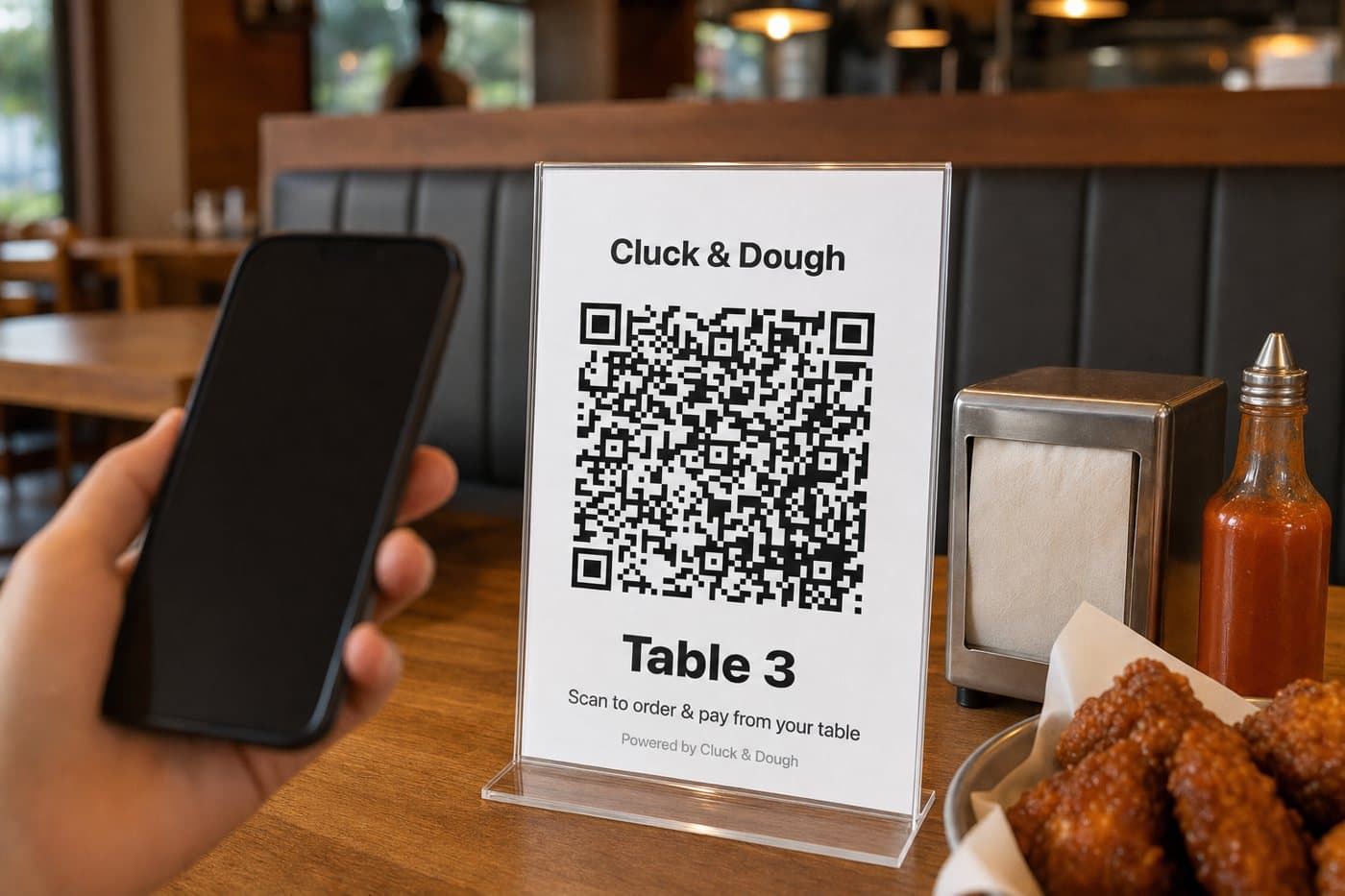
what your guest sees
scan, order, pay. no app, no account, no waiting for the check.
the QR opens your menu with the table already set. a first name is all it asks for. the phone number is optional, and only there to keep the points.
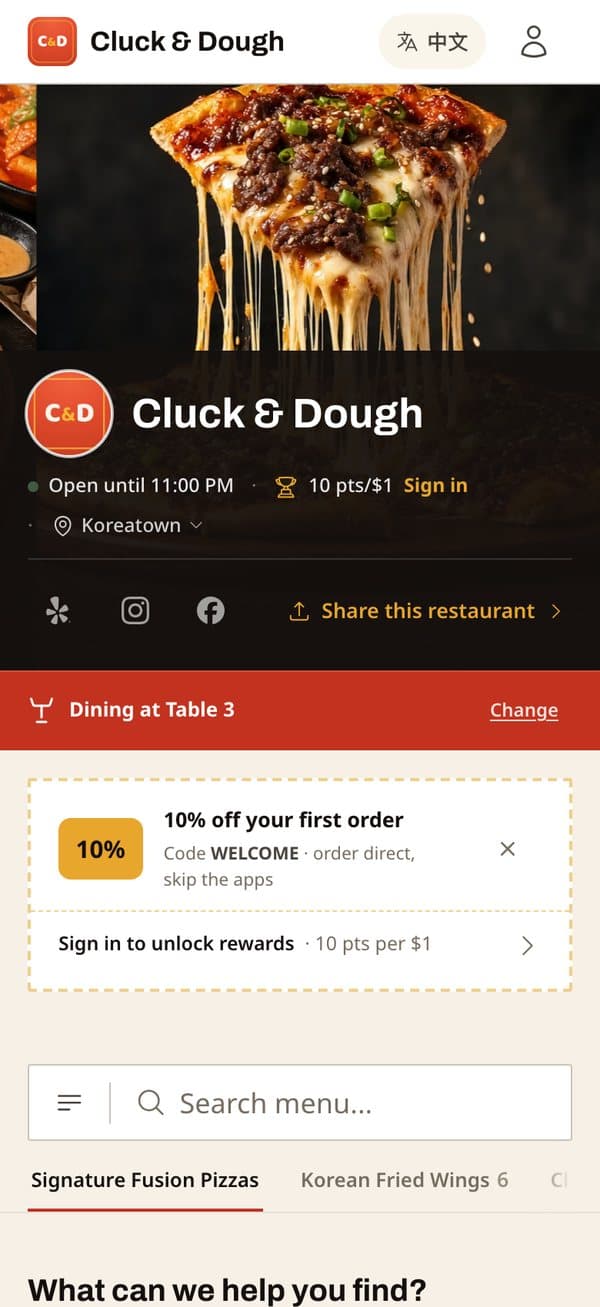
“dining at table 3”
the table is set from the QR. they never type it. the menu is yours, with prices and photos.
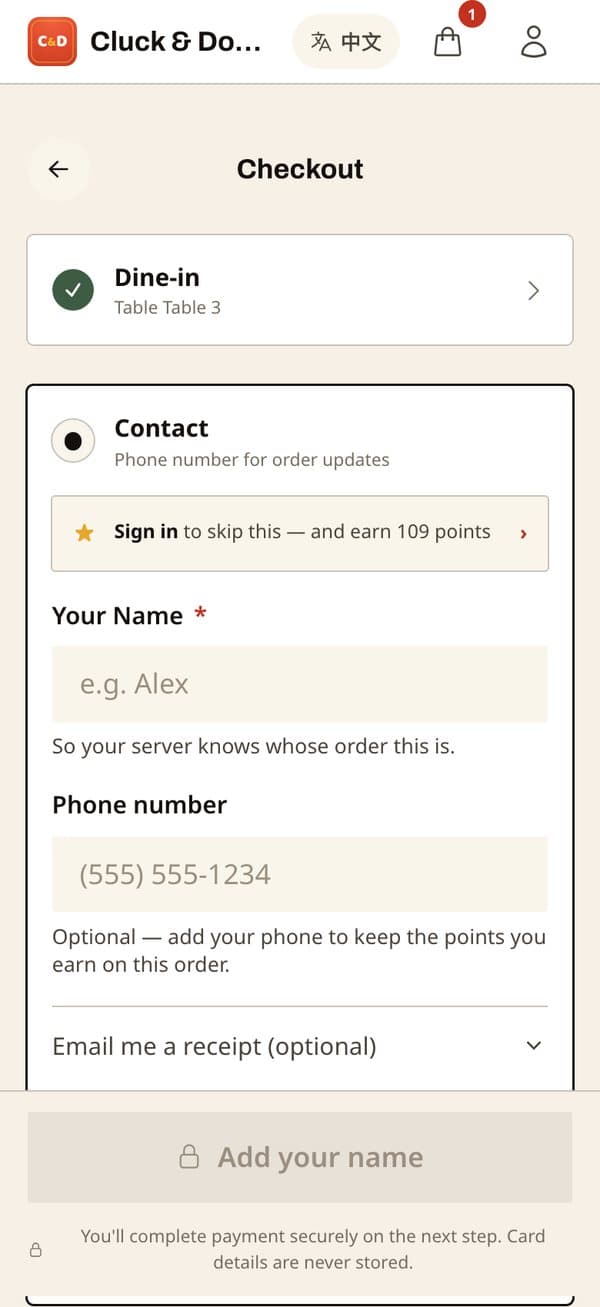
a name, and pay
“so your server knows whose order this is.” Apple Pay or Google Pay, tip included. sign in only if they want the points.
- ORDER #7F2ADINE-IN · Paid onlineTABLE 3Customer: Alex1x Soy Garlic Wings (6pc)2x MilkisPlaced 7:14 PM
the kitchen gets “TABLE 3”
the ticket prints on the same handheld as your pickup orders, table number in big type. staff bring it to the table.
screens 1 and 2 are the demo restaurant's real table-3 link. the ticket is drawn in the layout the device prints.
two ways to run a table
guests serve themselves, or your server runs a tab. both end with the guest paying on their phone.
some rooms want the QR on every table. some want a server taking the order and the guest only paying by phone. the handheld does both.
scan the QR, order, pay
- they scan the tent and order from their seat
- they pay on the phone when they order. no check to wait for
- want more? scan again. only the new items print
- name and table number is all it asks. no account
open a tab, add rounds, print the bill with a QR
- the server takes the order on the handheld and opens a tab for the table
- another round? added to the tab. a “round 2” ticket prints with only the new items
- when they're done, the bill prints with a QR on it
- the guest scans, pays, and tips on their own phone. the tab closes itself
what you see
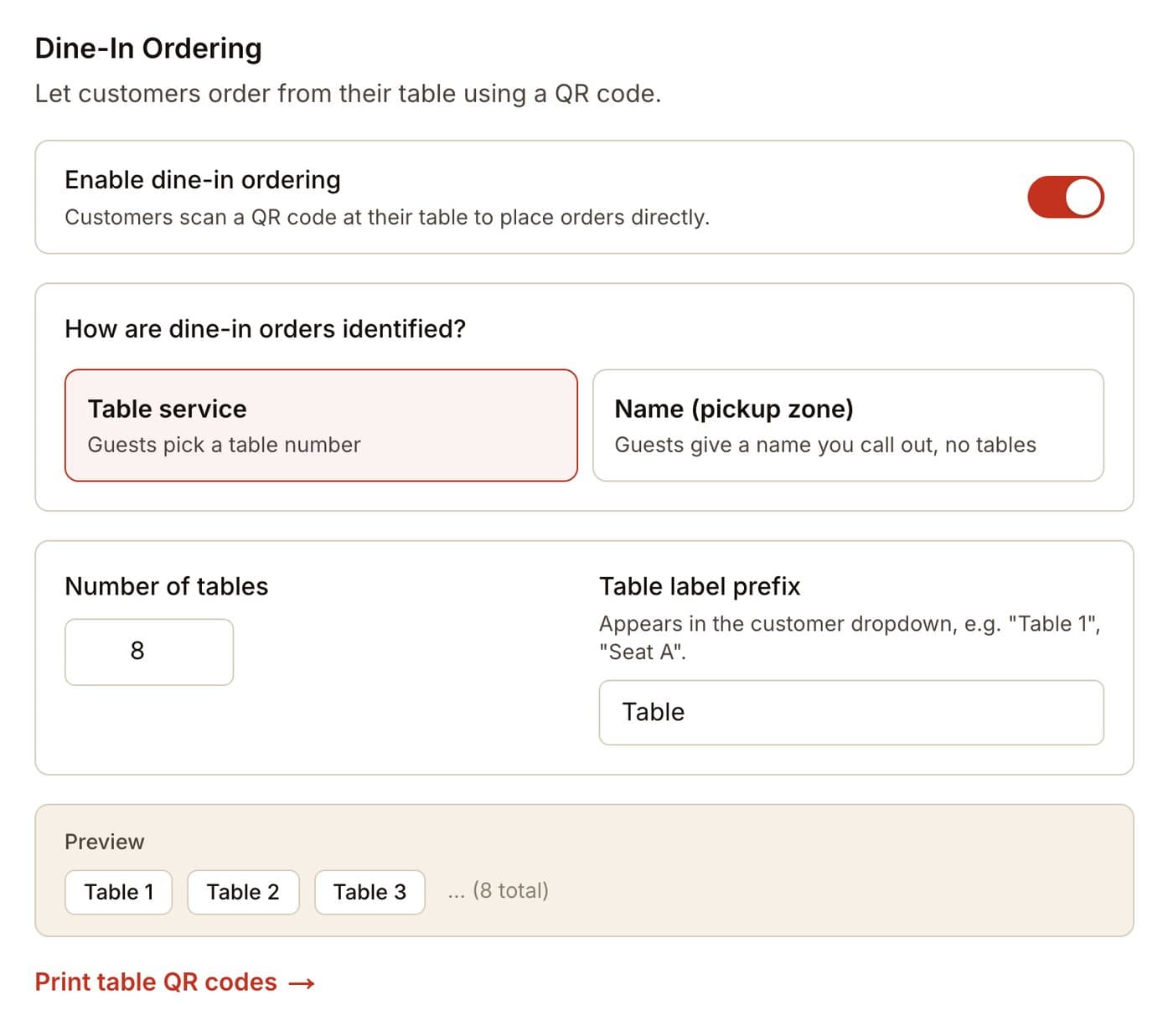
one switch, a table count, and a print button.
turn dine-in on, say how many tables you have, print the tents. the same order queue and the same handheld you already use handle the rest.
the setting
tables or “name mode” for a counter with a pickup zone. print the table QR codes from the same screen.
the tents
one QR per table, printed two to a page, fold and stand. each one carries its table number, so a wrong-table order can't happen from the QR.
the tent in the photo is the one the dashboard prints for table 3, with its real QR.
three questions owners ask
“my guests hated QR menus.”
so did everyone. this isn't a menu. paper menus stay on the table. the QR is how a guest orders another round and pays without flagging anyone down. if they'd rather order from your server, the server takes it on the handheld and the QR only shows up on the bill.
“what about tips?”
the tip prompt is on the guest's phone, at 15, 18, 20 percent or their own number. tips go to you, all of them. and a guest who pays on their phone tips in private, which usually helps.
“does this replace my servers?”
no. it replaces the running. they still greet, still bring the food, still check in. they stop running for menus, running for the card machine, and standing at a table while someone finds a card.
what we do with you
we set up the tables with you. and we're there for the first service.
we print the tents, walk your servers through the tab and the bill, and stay for the first night it runs. after that, it's yours.
- tell us how many tables
we print the tents and set the table count - a walkthrough with your servers
open a tab, add a round, print the bill. twenty minutes - the first service, together
we're in the room. what breaks, we fix that week
want to see your restaurant on it?
tell me your restaurant's name. I'll send back a sample ordering page with your logo and info. no meeting, no sales call.
get your free demorunning on our demo restaurant today